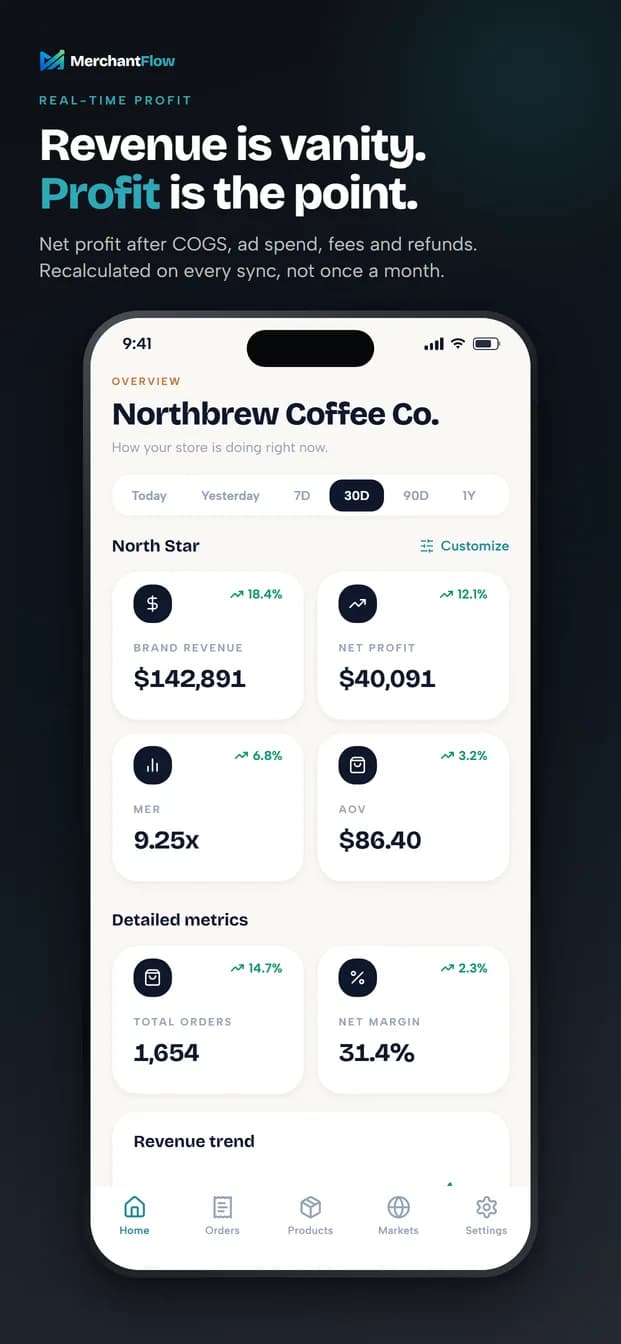
Real net profit, not revenue
Net profit after COGS, blended ad spend, discounts, refunds, taxes and operating costs. Pin the headline metrics you actually run on - net profit, contribution margin, blended MER, CAC, ROAS, POAS, AOV or net margin.
Now on iPhone and Android
Revenue tells you how busy you were. Profit tells you whether it was worth it. The MerchantFlow app puts your net profit after COGS, ads, fees and refunds in your pocket, so you can check the health of your business between meetings instead of rebuilding a spreadsheet.
Included with every MerchantFlow plan. Requires an existing account.
No account yet? Start your free trial
Figures shown are illustrative sample data, not a customer result.
What you see on your phone
Every screen reads from the same P&L as your web dashboard, recalculated on each sync. The number you check at lunch is the number that is true at lunch.
Net profit after COGS, blended ad spend, discounts, refunds, taxes and operating costs. Pin the headline metrics you actually run on - net profit, contribution margin, blended MER, CAC, ROAS, POAS, AOV or net margin.
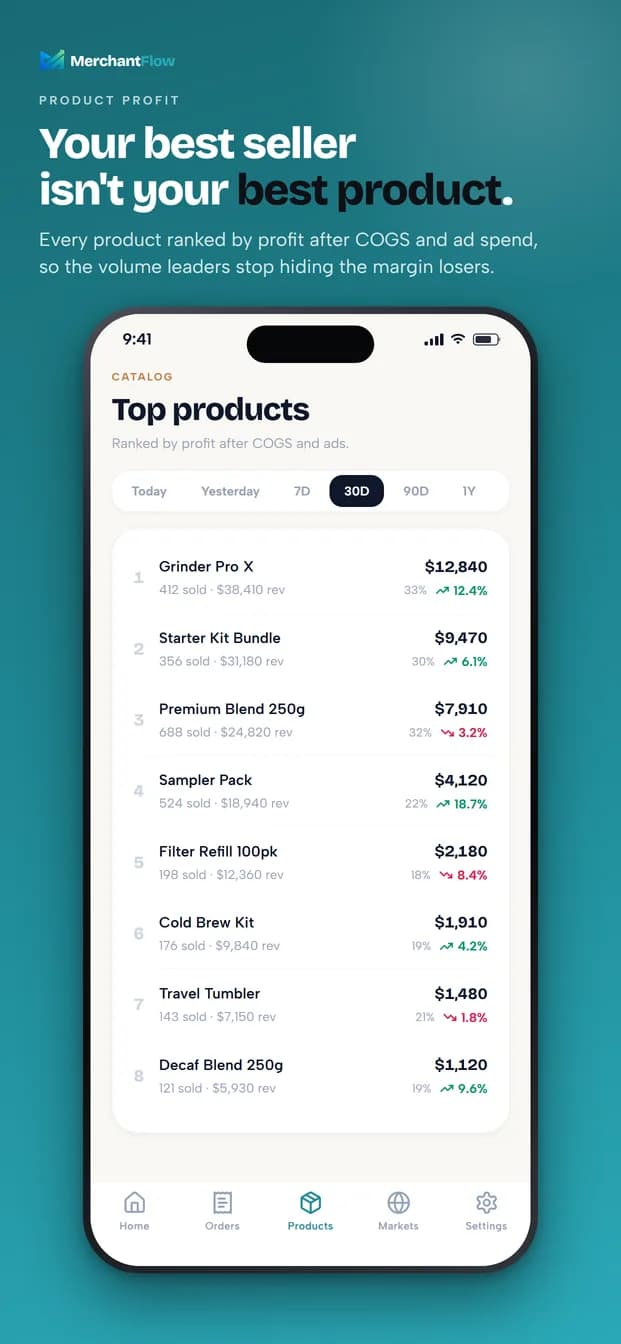
Products are ranked by profit after COGS and ad spend, not by revenue. The result is often uncomfortable and always useful: your volume leader is not always your best product.
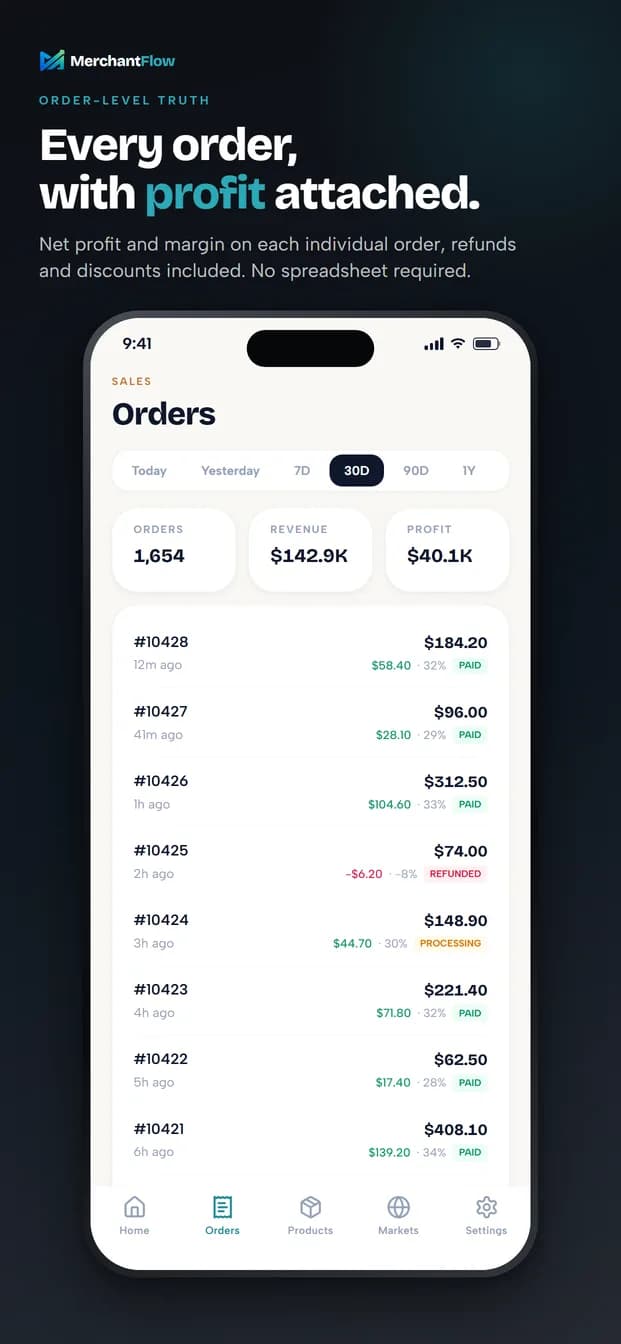
Every order carries its own net profit and margin, refunds and discounts included. A refunded order reads as the loss it actually is.
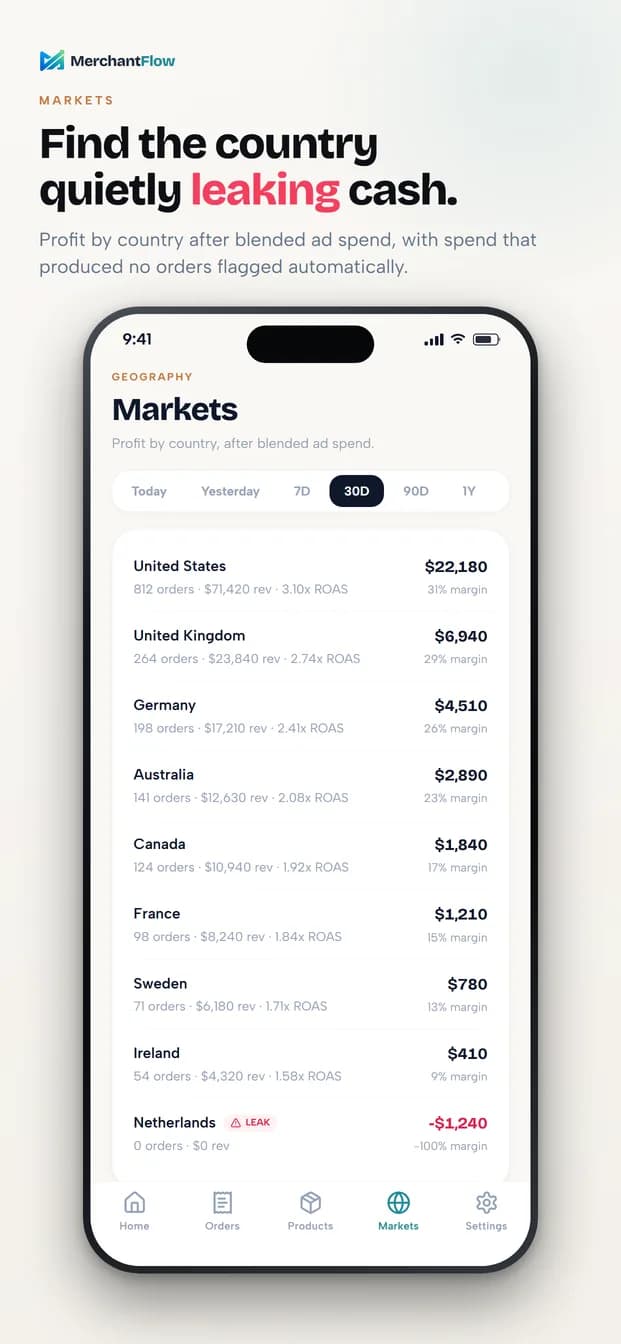
Profit broken down by country after blended ad spend. Spend that produced no orders is flagged, so a quietly leaking market surfaces instead of hiding inside a blended average.
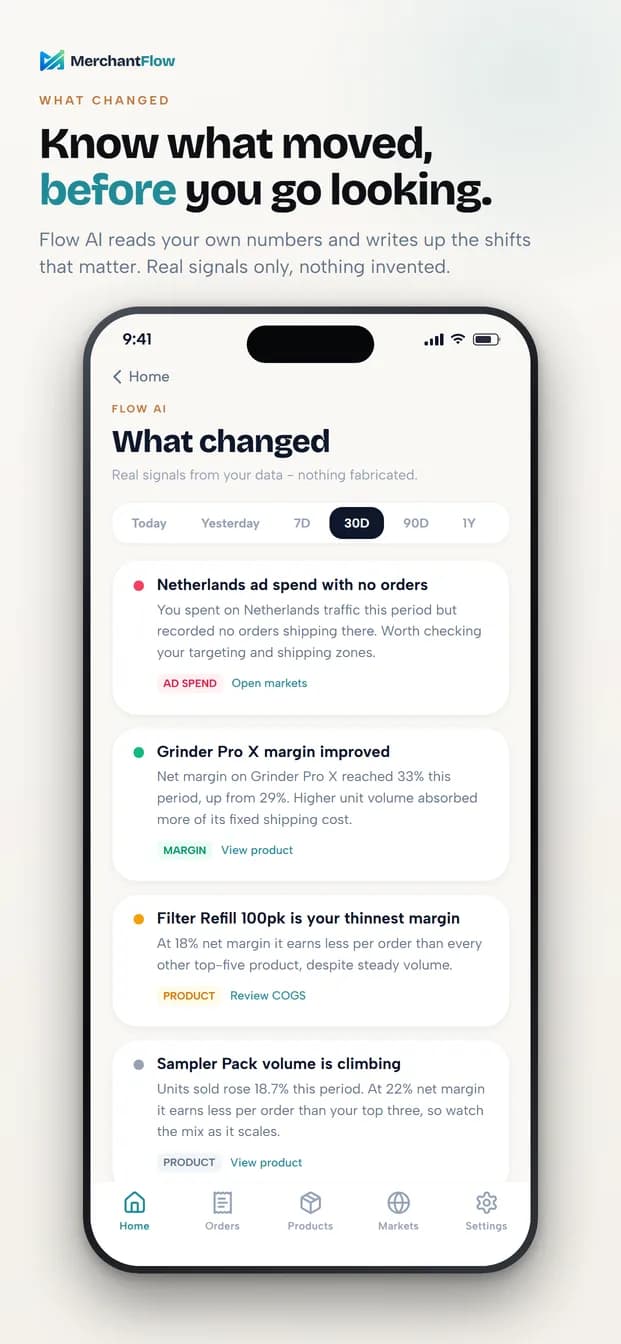
Flow AI reads your own numbers and writes up the shifts worth knowing about. Real signals from your data only - nothing invented, no borrowed benchmarks.
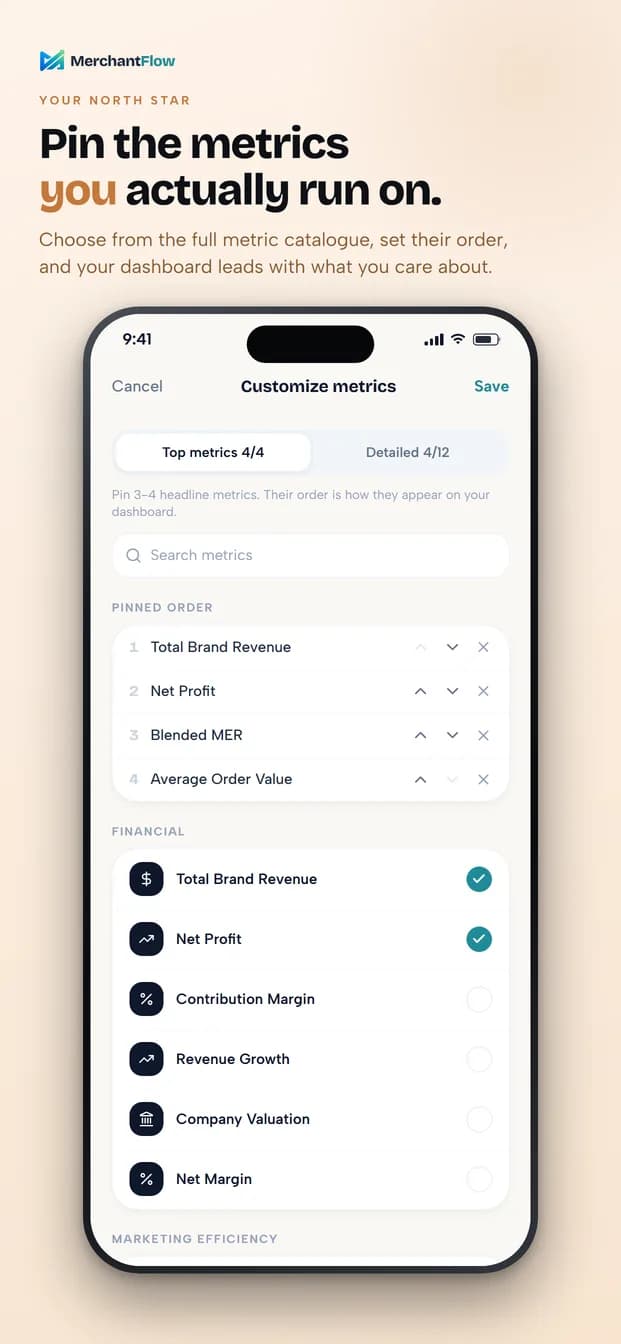
Choose the three or four headline metrics your dashboard leads with, add more in a detailed section (up to 8, 12 or 16, depending on your plan), and reorder them so the app opens on what matters to you.
Figures shown are illustrative sample data, not a customer result.
How to get started
The app signs in to the workspace you already have. Nothing to configure twice.
Get MerchantFlow from the App Store or Google Play. The download is free - the app is included with your MerchantFlow plan.
In your web dashboard open Settings, then Mobile App, and generate a one-time pairing code. Scan it with the app - no password needed, even for stores that installed MerchantFlow from the Shopify App Store. Or sign in with your email and password; two-factor authentication is supported.
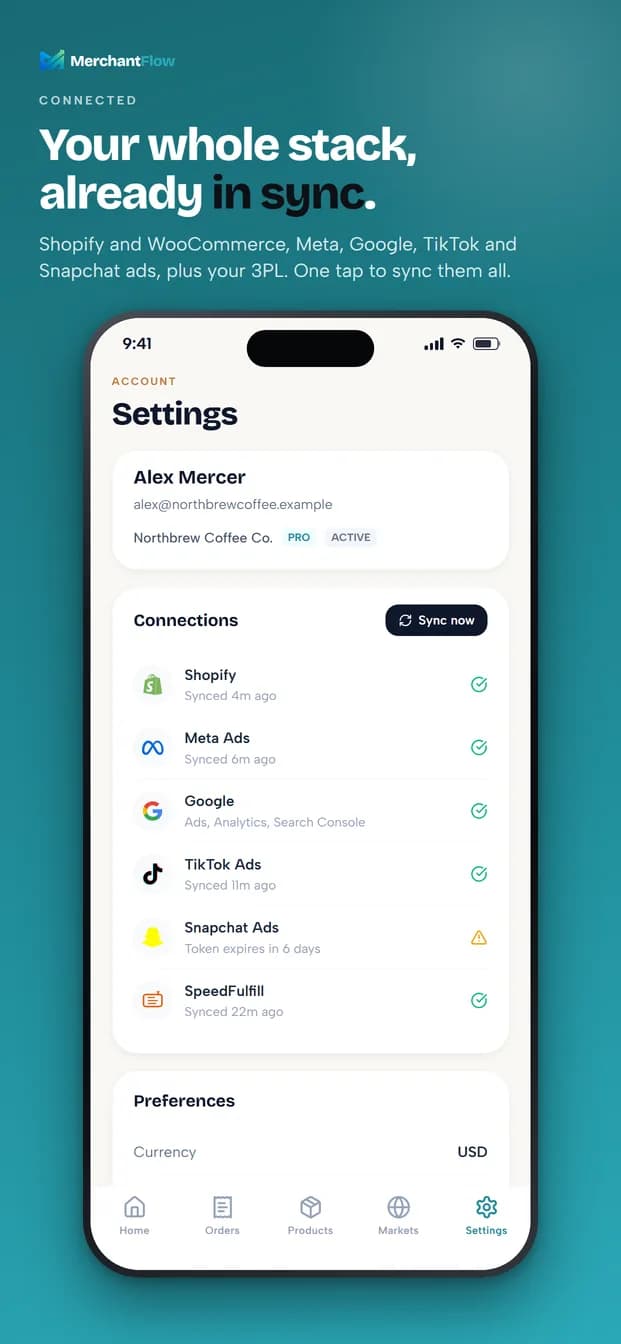
Pick a timeframe once - today, yesterday, 7, 30 or 90 days, 12 months or a custom range - and every screen follows. Check connection health and trigger a sync from your phone.
Before you download
The app is built for checking in. Setup, integrations, COGS entry, expense rules, reports and billing all live in the web dashboard.
MerchantFlow is a subscription service. Create your account and connect your store on the web first, then pair the app.
The app does not send push alerts today. Anomaly alerts and the Daily AI Summary still arrive by email.
Currency, timezone, language and plan features are the same as on the web. Nothing is configured separately in the app.
The download is free and there are no in-app purchases. The app is a companion to the MerchantFlow web dashboard, so it needs an existing MerchantFlow account. Every plan, including the trial, includes the app.
iPhone (via the App Store) and Android phones (via Google Play).
No. The primary way in is QR pairing: generate a one-time code under Settings, then Mobile App, in your web dashboard and scan it with the app. That works for every account, including stores that installed MerchantFlow from the Shopify App Store and never set a password. Email and password sign-in is also available, with two-factor authentication if you have it enabled.
Yes. If your account has access to several stores, you can switch between them inside the app. The stores you can open are the same ones you can open on the web.
Not today. Anomaly alerts and the Daily AI Summary continue to arrive by email.
Open Settings, then Mobile App, in your web dashboard. Every paired device is listed there with a Remove action that signs it out immediately. Pairing codes are single-use and expire after a few minutes, and a paired device stays signed in for up to 90 days before it needs to pair again.